

Get your Costco Membership Card on your phone!
 Download the Costco Mobile App today!

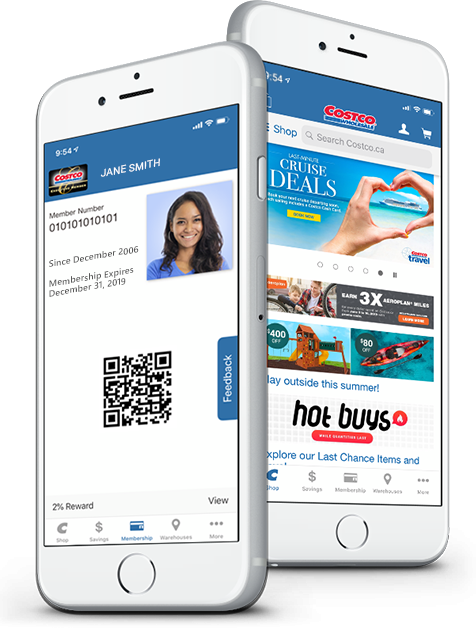

1. Install the Costco app
Install (or update) the Costco mobile app from the App Store or Google Play store.

2. Launch the Costco app
Launch the Costco app then tap the Membership Card icon. The login page will appear.

3. Follow the instructions
Follow the instructions on the login page to sign in with an existing Costco.ca account. Or, create a new Costco.ca account.

4. Get verified
Go to the Membership Counter at your local Costco warehouse or call 1-800-463-3783 to get verified. The link in the email is only valid for 48 hours.

5. Digital Membership Card
After successfully verifying your membership, the Digital Membership Card will appear on your screen.

6. Launch the app
Launch the app when you enter the warehouse and to begin checkout at the register.
The Costco Mobile App is the easiest way to save time and money on the go. We've made it easy for members to access the incredible value found only at Costco.

DIGITAL MEMBERSHIP CARD:
You can now use your mobile device to provide proof of membership upon entering the warehouse and again at checkout.

OFFERS:
With the Costco Mobile App you'll always have the latest Warehouse Offers right on your device. We think you'll love the look and we've made it easy to clip your favourite offers.